

Install the Mac app
Free and MIT licensed, Apple Silicon. Bring your own AI: a Claude Code or Codex login, an API key, or a local model. Install →
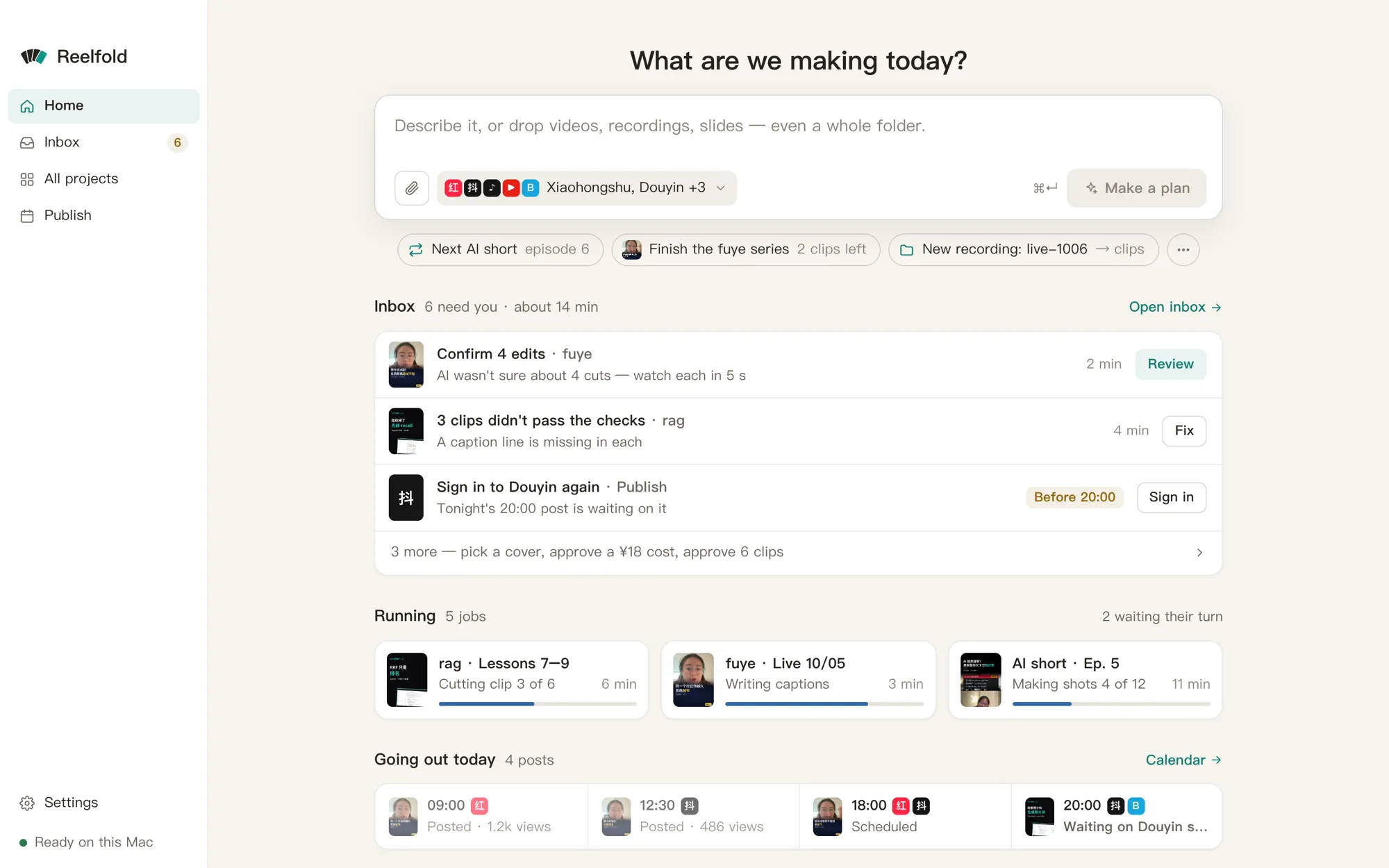
Home: say what you are making, watch the batch run, review only what was flagged.
Start here
Install the Mac app
Free and MIT licensed, Apple Silicon. Bring your own AI: a Claude Code or Codex login, an API key, or a local model. Install →
Use it as a Claude Code skill
The same engine as a skill. Clone, run install.sh, then talk to Claude about your footage.
Install the skill →
Your first project in 5 minutes
One talking-head clip in, a captioned short for two platforms out, with a cover and post copy. Start →
Say it in plain words
Prompts that work well, from “cut the pauses” to “slice this lecture into ten vertical clips”. Example prompts →
Guides by what you make
Look things up