

Photo story
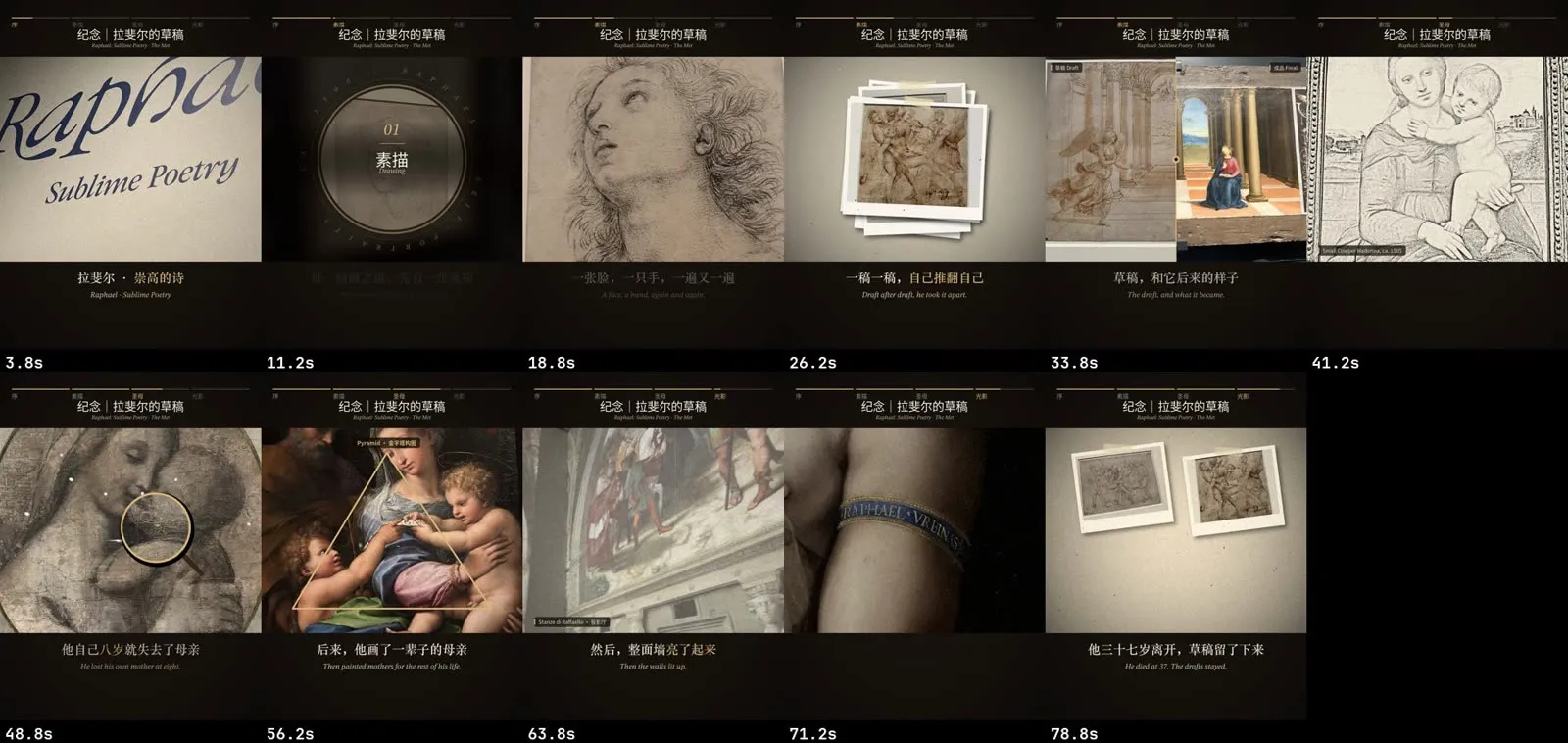
You get a story video built from your photos and a few short clips: narrated by an AI voice or your own cloned voice, or cut to the bars of a music track. It has Ken Burns moves, collages, maps, timelines, quotes, highlight circles and film looks, bilingual English and Chinese subtitles, a running header with section progress, chapter cards, a cover and post copy.
Before you start
Section titled “Before you start”- Photos, and optionally a few phone clips. Good for a museum visit, a trip, an artist, a piece of history, a product.
- A story: a narration script with English and Chinese lines, or just the sections and captions if you go music-only.
- For narration: an OpenAI API key for OpenAI TTS, or a 5 to 15 second clean recording of your own voice for the local clone.
- For music-only: a track you have the rights to, ideally with a clear pulse.
This isn’t for talking-head footage. Use Talking-head shorts for that.
In the Mac app
Section titled “In the Mac app”- On Home, describe the story and add the photos and clips. Say whether you want narration or music, and the platform.
- The plan shows the mode, the platform, the voice and the title.
- Selection and chapters. The story is written as a spec: sections, the English and Chinese lines, and which shots go under each line with which effects. Ask the agent to draft it from your photos and notes, then adjust.
- Layout check. A few still frames are rendered first, before any voice is paid for. Check the captions, the header and the crops.
- The batch generates the voice (or analyses the music), renders the video, and writes the cover, subtitles, transcript and post.
- Review and publish.
With the Claude Code skill
Section titled “With the Claude Code skill”Hand Claude the photo folder and the story. The skill follows workflows/photo-story. It writes work/spec.py, renders layout stills for you to look at, then synthesises the voice line by line. Each line is taken up to three times and the take whose transcript best matches the script wins. Takes are cached, so changing shots never re-bills the voice and editing one line only re-synthesises that line.
python3 $VSTUDIO/workflows/photo-story/scripts/photostory/render.py work/spec.py --stills 2,10,25,40python3 $VSTUDIO/workflows/photo-story/scripts/photostory/tts.py work/spec.py --sampleNarration or music
Section titled “Narration or music”| Mode | How the timing works |
|---|---|
| Narration (default) | The voice drives the timeline. An optional music bed sits under it. Voice from OpenAI TTS, or your own voice cloned locally with Qwen3-TTS on Apple Silicon. |
| Music | No voice. Every cut lands on a bar (or a beat). Your lines become quiet title text. Sections start on the music’s own section changes when one is close. |
Keep the reference recording for a cloned voice outside the repo, in your local persona file.
Shots, overlays and looks
Section titled “Shots, overlays and looks”| Kind | Options |
|---|---|
| Shot types | Single photo or clip, collage, film strip, split (two side by side), grid, tilt, deck, quote, route map, medal ring, rows. |
| Photo moves | Zoom in or out, pan left or right, up, down, still, mirror flip. |
| Overlays | Sketch, develop, shimmer, dust, prick; a red-pen highlight circle; a composition triangle; a travelling magnifier loupe; a timeline bar; a count-up number. |
| Transitions | Fade, push, whip, flash, zoom, iris, light leak, ink, blinds, tear, slide up, cut. |
| Film look | Chosen sections get grain, warm desaturation, flicker, scratches and dust. |
Options worth knowing
Section titled “Options worth knowing”| Option | Default | What it does |
|---|---|---|
| Mode | narration | narration or music. |
| Voice engine | openai | openai or clone (your own voice, offline). |
| Platform | 小红书 3:4 | Sets the canvas, safe areas, caption size, loudness and cover size. |
| Canvas | from platform | Or set directly: 3:4 (1080×1440), 3:4 HD (1620×2160), 9:16, 16:9. |
| Music grid | bar | In music mode: cut on every bar, every beat or every two beats. |
| Clip sound | muted | Per clip: keep it in the foreground, keep it as ambience, or mute. Clips with speech can get the shared filler cleanup. |
Example prompts
Section titled “Example prompts”- “Make a narrated 3:4 video of my museum visit from these 40 photos. Three chapters, bilingual subtitles, a memory-film look on the last chapter.”
- “Use my own voice for the narration. The reference recording is in my voice folder.”
- “No narration this time. Cut it to this track on the bars, about 60 seconds, for Douyin.”
- “Hold the photo of the draft longer and put a magnifier over the hands.”