

Podcast and interview clips
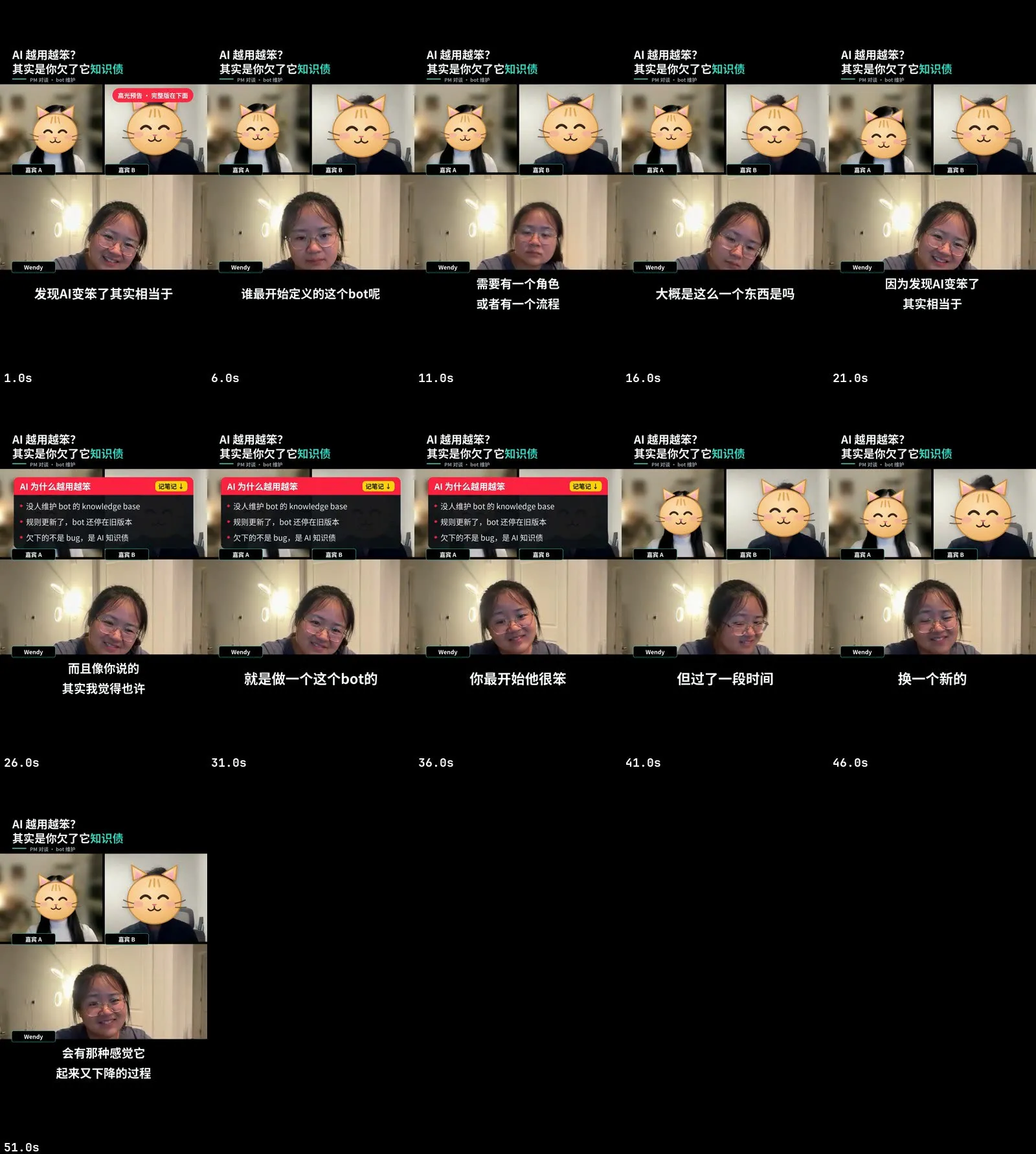
You get short clips from a podcast, interview or recorded call: the best moments, laid out vertically or for three people, with captions, a hook, notes panels, and any guest who didn’t agree to show their face hidden behind a face-tracking sticker that is checked to cover every frame.
Before you start
Section titled “Before you start”- One recording from Zoom, Google Meet, Teams, or a video podcast setup. Gallery view works best: each person stays in a fixed tile.
- Who is who. Which tile is you (never masked) and which guests should be masked.
- Your guests’ consent. A sticker hides a face, not a voice, a spoken name, an employer or an opinion. Clear the clips with anyone who appears in them.
- Names you don’t want heard. Guests sometimes say “cut that” mid-recording, and a spoken name undoes a sticker.
In the Mac app
Section titled “In the Mac app”- On Home, describe what you want and add the recording, for example “Five vertical clips from this interview, hide the guest’s face.”
- The plan shows the layout, which tiles are masked, the number and length of clips, and the platforms.
- Approve the clips. Reelfold transcribes once and proposes the best moments, each with a title and a hook. Keep, drop or adjust them.
- Guest consent. The app asks you to confirm that the guests agreed to publication, shown or masked. It never decides this for you.
- The batch cuts each clip, squeezes pauses and fillers, tracks each masked face, places the stickers, blurs the call app’s name labels, lays out the tiles and burns in captions.
- Face-mask check. Every guest track is checked geometrically: the sticker must cover the face in 100% of frames. Anything less is flagged red and stops that clip.
- Review, then publish each clip on its own. You press publish.
With the Claude Code skill
Section titled “With the Claude Code skill”Tell Claude what the recording is, who should be masked, and whether you want a few highlights or the whole conversation tiled into clips. The skill follows workflows/call-clips. It will:
- measure the tile layout and work out which tile is you from the name labels, your self-introduction and who hosts the call, and ask you if the signals disagree;
- work out who actually speaks when, so a quote is never attributed to the wrong person;
- search the transcript for names and “cut that” requests before choosing windows;
- give you a cleanup review sheet to answer (
确认 3,5 / 保留 7); - refuse to finish a clip whose coverage check doesn’t print
PASSat 100%.
Do not check masking by re-detecting faces in the finished video: the detector finds the cartoon’s eyes and reports a face on every frame. The coverage proof is the check.
Layouts
Section titled “Layouts”| Layout | Canvas | People |
|---|---|---|
| Vertical (default) | 9:16 | Two tiles stacked, one masked guest or nobody masked. |
| Trio | 9:16 | Three tiles. With a platform set, a stage layout: whoever is talking is large, the other two sit below. |
| Landscape | 16:9 | Two or three side by side; bilingual subtitles are possible. Skill only for now. |
Options worth knowing
Section titled “Options worth knowing”| Option | Default | What it does |
|---|---|---|
| Masked guests | none | Each guest’s tile region, display label and sticker (cat or dog, or your own art). |
| No masks | off | Turn on only when everyone agreed to show their face. |
| Name labels | blur | blur, cover (flat colour) or off. Runs on the source before any crop. |
| Cut strength | classic | classic keeps breaths and longer pauses; word and tight cut harder. |
| Number of clips | 5 | Proposed clips, each 30 to 90 seconds by default. |
| Hooks | two short pulls | Played first at a faster speed with a “高光预告” badge. |
| Platforms | 小红书 9:16, 抖音 | Captions, headline, panels and tiles move into each platform’s safe area. |
Example prompts
Section titled “Example prompts”- “Pull the best three minutes of this podcast as vertical clips. The guest is on the left; put a cat over her face and blur the names.”
- “Three-person Zoom call. Mask both guests, use the trio layout with the speaker large.”
- “Tile the whole conversation into clips that run end to end, cutting only hesitations.”
- “Re-check that the sticker covers the guest’s face in clip 2, and drop the part where she names her company.”
Related
Section titled “Related”- Privacy
- Batch and review
- Long video to clips
- call-clips workflow reference
- Batch engine reference (the
podcast-clipsrecipe) - Examples